
Concern Reporting Form
All submissions are reviewed by human trust operators.
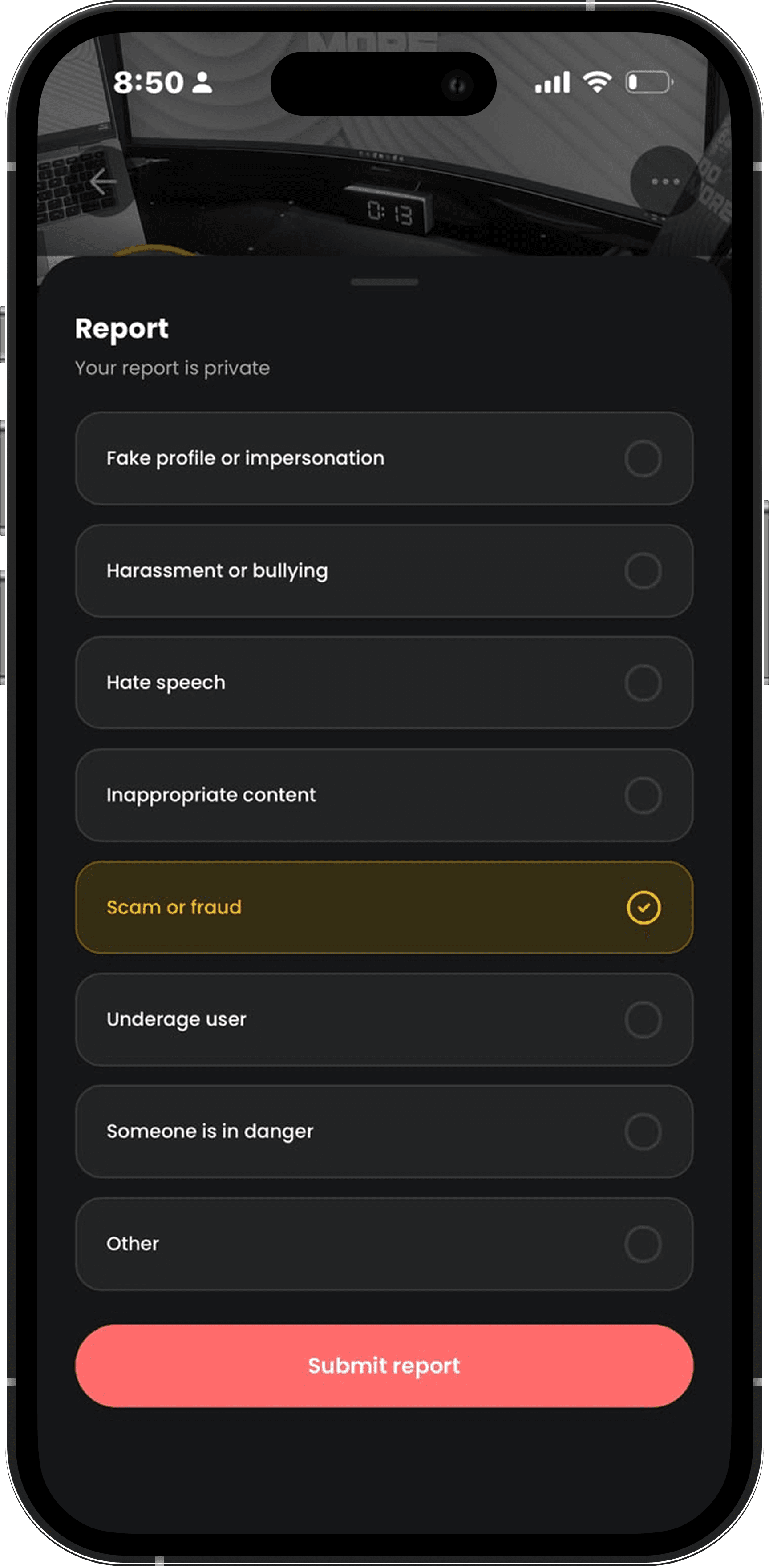
Your report is private
Report with confidence
Reporting something that doesn’t feel right takes just a few taps. Every report is reviewed by our Trust & Safety team, and your identity always stays private.
1
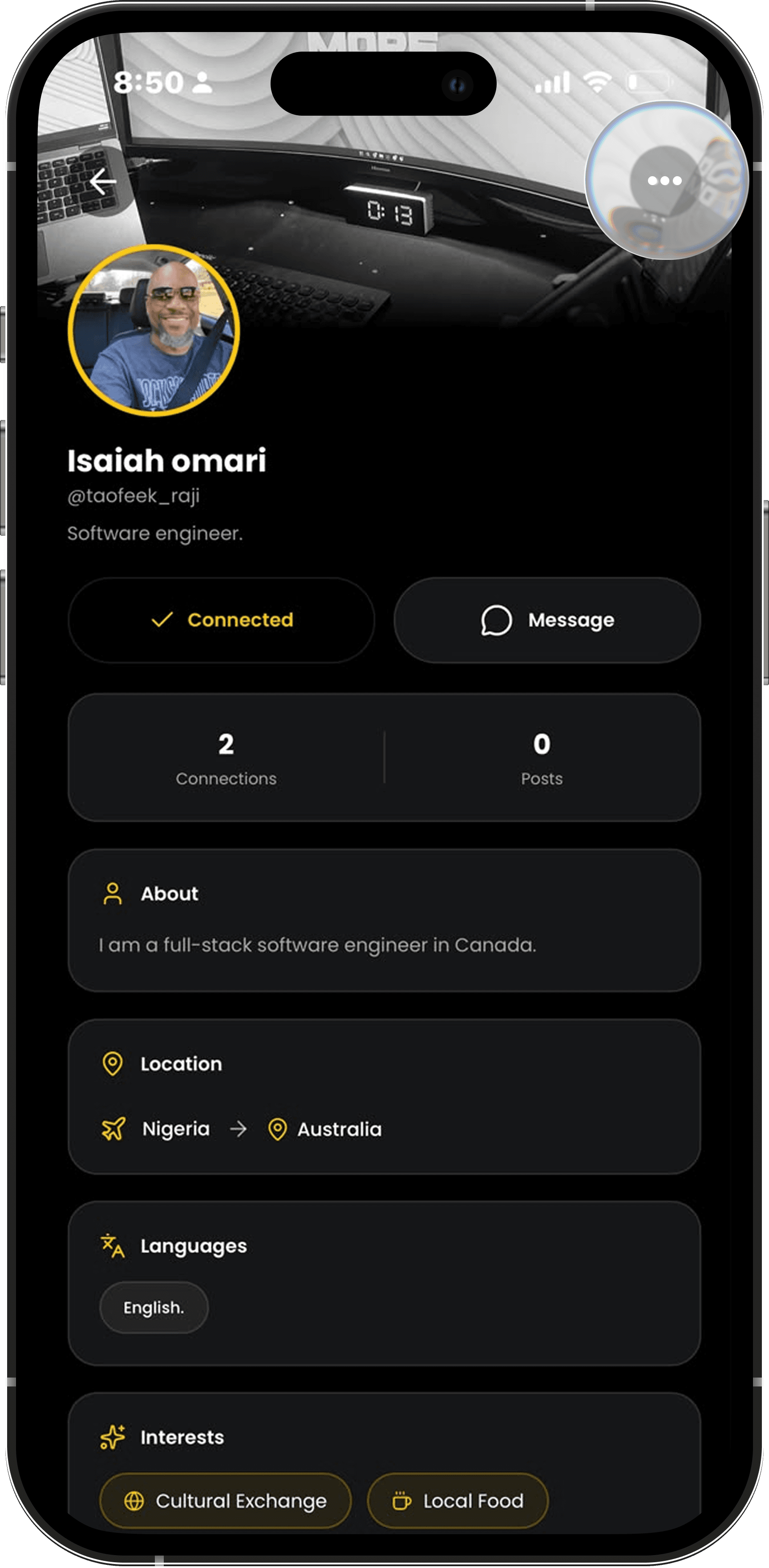
Open the menu
Tap the ••• on the profile, post, mentor, job, chat, or Care Passage.
2
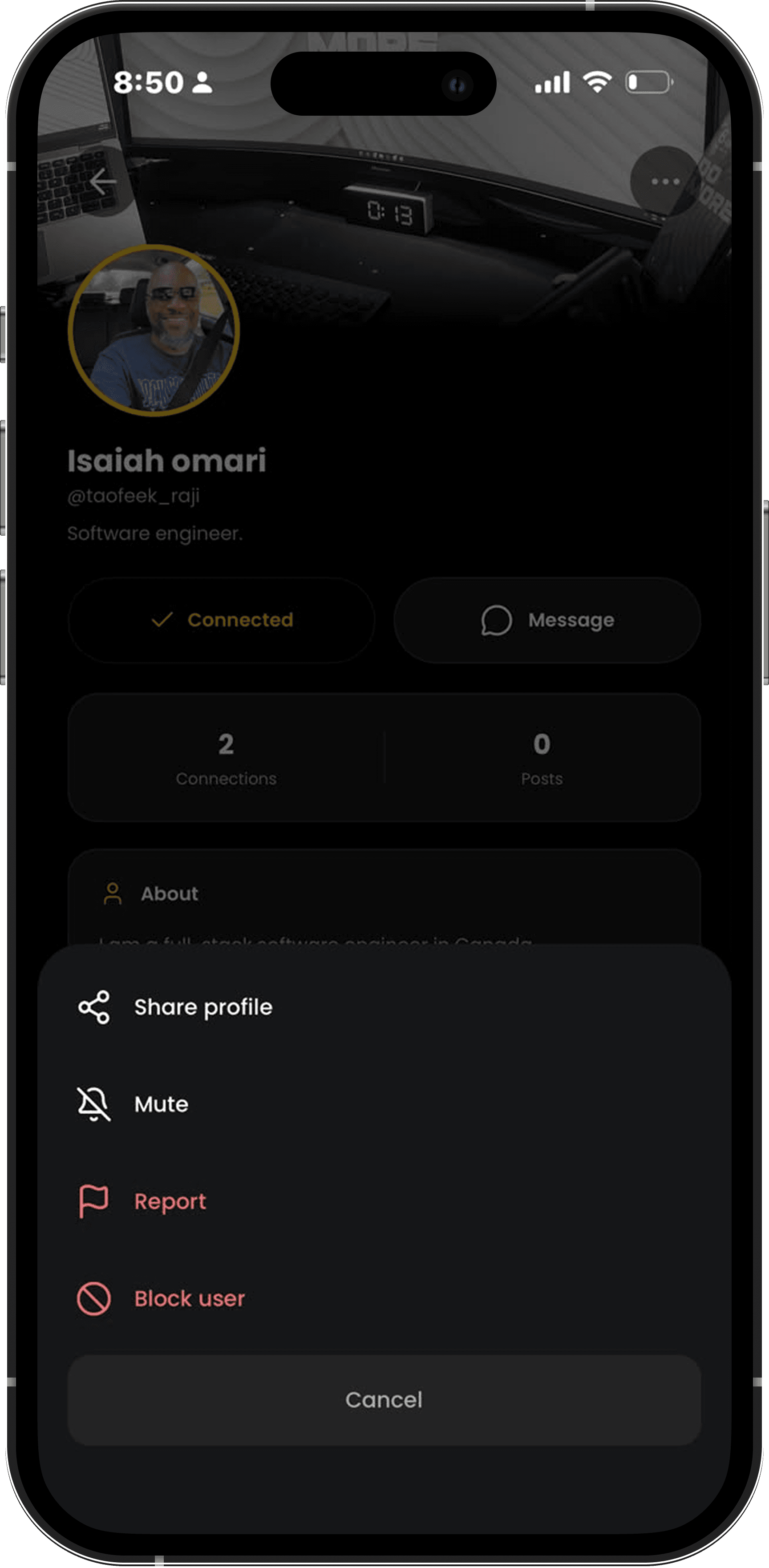
Select Report
Choose Report to start.
3
Choose a reason
Tell us what happened by selecting the option that best fits.
4
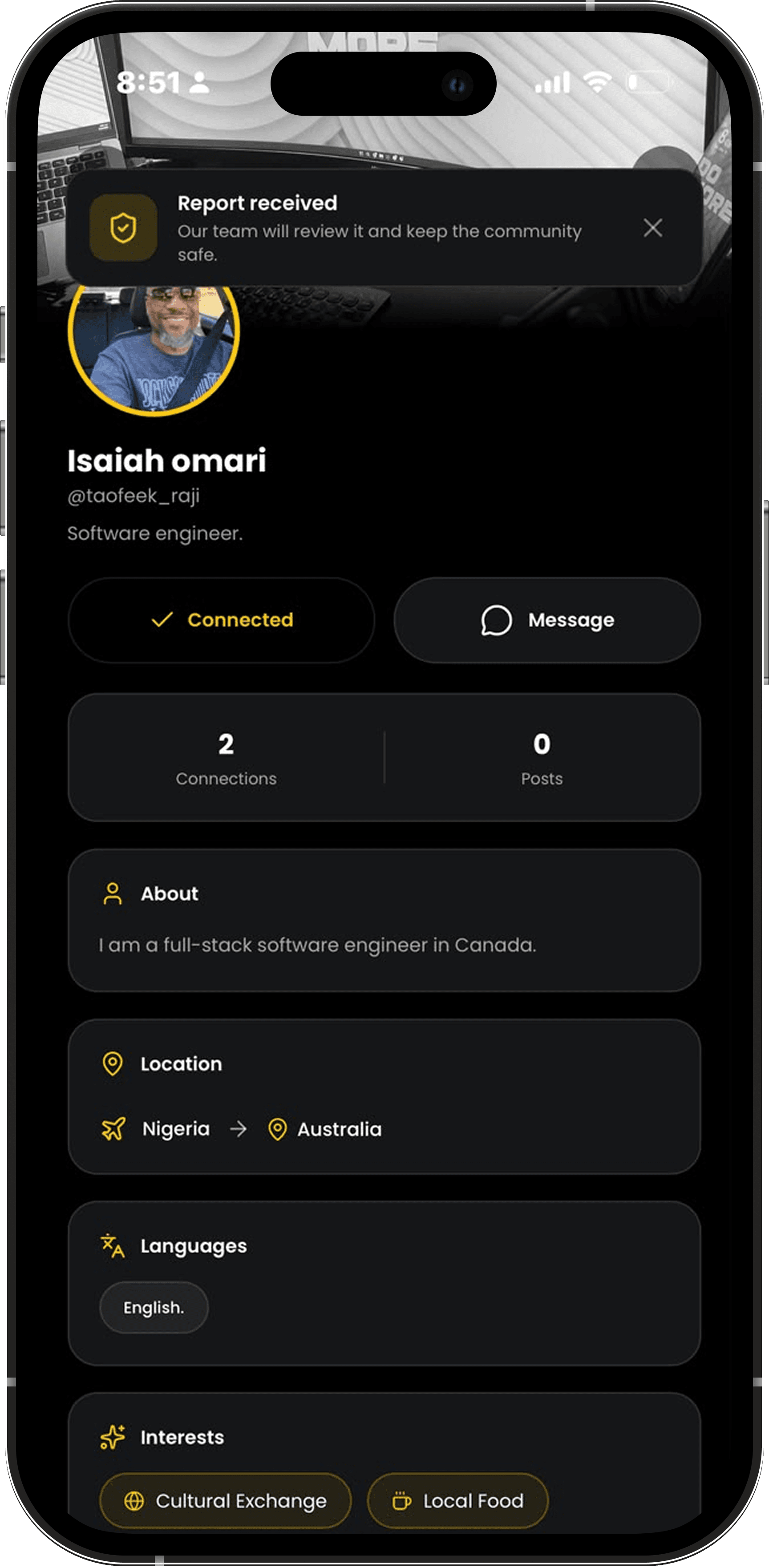
We’ll review it
Our Trust & Safety team reviews every report. The person you report is never told who submitted it.